What TowerLoop can automate
14 helpers for the tasks you keep repeating in The Tower. Each has its own switch and settings. Use a connected Android phone or emulator with the Windows app.
Every helper, at a glance
- Automations
- Static Gem · Moving Gem · App Watchdog · Restart Run · Nuke Fleet · Demon Mode
- Upgrades
- Workshop Upgrades — buy selected battle upgrades with run cash
- Claims
- Claim Daily Gems · Claim Weekly Gems · Claim Daily Missions · Claim Event Medals · Claim Guild Rewards
- Quests
- Farm Nuke · Farm Demon Mode — both deliberately surrender and restart battles
Controls gives you a live game viewer. The Dashboard and Activity Log show what happened. Game Profile lets you browse supported saved data.
The Tower Gem Auto Clicker
Collect static and moving gems during a run with separate helpers. See each collection in TowerLoop’s activity feed.
FeatureThe Tower Auto Restart
Start the next battle when a run ends. Choose a restart delay and keep your selected helpers working on the next run.
FeatureThe Tower App Watchdog
Bring The Tower back after app interruptions. Recover the Android game and handle supported resume prompts while your device stays connected.
FeatureThe Tower Demon Mode Automation
Activate Demon Mode when it is available during a run, or choose a separate quest helper that surrenders and repeats the battle.
FeatureThe Tower Nuke Quest Farming
Repeat Nuke use for quest progress: activate, surrender, restart, and repeat. Farm Nuke deliberately ends each battle.
FeatureThe Tower Auto Upgrades: Choose What to Buy
Automatically buy selected battle upgrades with run cash. Choose Attack, Defense, and Utility upgrades, set priorities, and skip maxed choices.
FeatureAuto Claim The Tower Rewards
Collect daily store gems, weekly gifts, completed Daily Missions, Event medals, and Guild chests with five separate reward helpers.
FeatureThe Tower Nuke Fleet Automation
Activate Nuke at scheduled fleet waves while your run continues. Choose predefined fleets or your own first wave and repeat interval.
FeatureThe Tower Game Profile: Cards, Labs & Progress
Browse saved cards, research, Workshop levels, and progression in TowerLoop. Game Profile is read-only and depends on device save access.
See it in the app
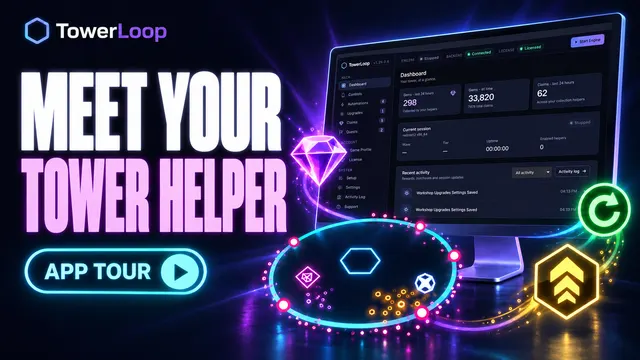 3:18
3:18The Tower, Less Clicking: Meet TowerLoop
Tour the Dashboard, Controls, helpers, Game Profile, and setup screens. The engine is stopped during this UI tour.
Watch demo → 1:34
1:34Stop Chasing Gems in The Tower
Watch moving and stationary gems get collected, with matching activity entries.
Watch demo → 1:08
1:08Daily Gems Matter More Than You Think
Watch the free daily store offer get claimed and the game return to the run.
Watch demo → 1:22
1:22Make the Nuke Quest Easier
Watch Nuke activate, the battle surrender, and a new run begin.
Watch demo → 1:08
1:08Farm the Demon Mode Quest Automatically
Watch Demon Mode activate, wait for the effect, then surrender and restart for another cycle.
Watch demo → 1:29
1:29Keep Your Mission Queue Moving
Watch completed daily mission rewards and available weekly milestones get collected.
Watch demo → 1:09
1:09Claim Your Event Medals With Less Clicking
Watch TowerLoop collect available medals from completed Event missions.
Watch demo → 1:05
1:05Run Over? Start Again Automatically
Watch a defeat screen turn into the next run with Restart Run enabled.
Watch demo → 1:02
1:02Activate Demon Mode Whenever It’s Ready
Watch regular Demon Mode activation while the same battle continues.
Watch demo → 1:12
1:12Game Crashed? Get Your Run Back
Watch the game return from the Android home screen, relaunch, and resume its saved run.
Watch demo → 1:35
1:35Keep Buying Upgrades While You’re Away
Choose categories and upgrades, watch Utility purchases, then switch to Health-only purchases.
Watch demo →