Keep Buying Upgrades While You’re Away
Choose categories and upgrades, watch Utility purchases, then switch to Health-only purchases.
Video transcript
Buying upgrades during a run can make a real difference, but all that tapping adds up.
Let TowerLoop handle the purchases.
Open Upgrades and choose which categories to enable: Attack, Defense, and Utility.
Then select the individual upgrades you want the helper to buy.
The helper switches between your enabled tabs and buys selected upgrades as run cash allows.
Here, it is buying Utility upgrades while the run continues.
The purchase count and last purchase show what the helper is doing.
You can narrow the selection too.
In this example, we enable Defense and select only Health, so the helper focuses its purchases there.
Once an upgrade is maxed, it is skipped for the rest of that run.
The helper keeps looking for selected upgrades it can still buy.
Keep your chosen upgrades moving during idle farm runs, without all the repeated clicks.
Put your run cash to work, and keep your time for yourself.
Try TowerLoop at tower-loop.com.
More demos
 3:18
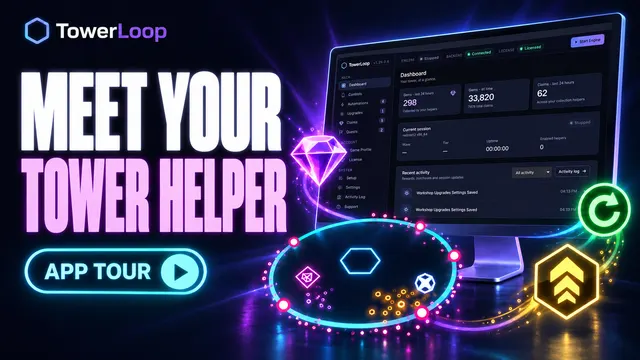
3:18The Tower, Less Clicking: Meet TowerLoop
Tour the Dashboard, Controls, helpers, Game Profile, and setup screens. The engine is stopped during this UI tour.
Watch demo → 1:34
1:34Stop Chasing Gems in The Tower
Watch moving and stationary gems get collected, with matching activity entries.
Watch demo → 1:08
1:08Daily Gems Matter More Than You Think
Watch the free daily store offer get claimed and the game return to the run.
Watch demo → 1:22
1:22Make the Nuke Quest Easier
Watch Nuke activate, the battle surrender, and a new run begin.
Watch demo → 1:08
1:08Farm the Demon Mode Quest Automatically
Watch Demon Mode activate, wait for the effect, then surrender and restart for another cycle.
Watch demo → 1:29
1:29Keep Your Mission Queue Moving
Watch completed daily mission rewards and available weekly milestones get collected.
Watch demo → 1:09
1:09Claim Your Event Medals With Less Clicking
Watch TowerLoop collect available medals from completed Event missions.
Watch demo → 1:05
1:05Run Over? Start Again Automatically
Watch a defeat screen turn into the next run with Restart Run enabled.
Watch demo → 1:02
1:02Activate Demon Mode Whenever It’s Ready
Watch regular Demon Mode activation while the same battle continues.
Watch demo → 1:12
1:12Game Crashed? Get Your Run Back
Watch the game return from the Android home screen, relaunch, and resume its saved run.
Watch demo →