Collect static and moving gems
Let the gem helpers catch rewards during your run. Use either helper on its own or enable both.
See how it works →TowerLoop collects gems, buys the battle upgrades you choose, claims rewards, and restarts finished runs, so your tower keeps earning while you get on with your day.
Real footage: TowerLoop collecting gems during a run.
Short, unedited recordings of TowerLoop playing The Tower. Pick the task you are tired of doing by hand.
 1:35
1:35Choose categories and upgrades, watch Utility purchases, then switch to Health-only purchases.
Watch demo → 1:12
1:12Watch the game return from the Android home screen, relaunch, and resume its saved run.
Watch demo → 1:05
1:05Watch a defeat screen turn into the next run with Restart Run enabled.
Watch demo →Each helper has its own switch and settings. Start with one, then add the others you need.
Let the gem helpers catch rewards during your run. Use either helper on its own or enable both.
See how it works →Select Attack, Defense, and Utility upgrades. TowerLoop buys them as run cash allows and skips maxed upgrades.
See how it works →Collect daily store gems, weekly gifts, completed missions, Event medals, and Guild chests with separate helpers.
See how it works →Restart Run starts another battle when one ends. Set its delay and leave your other selected helpers running.
See how it works →App Watchdog reopens the Android game after interruptions and handles supported resume prompts.
See how it works →Use the ability, surrender, restart, and repeat. These quest helpers deliberately end the run, so enable them only when you want short cycles.
See how it works →Connect a phone or emulator to your Windows PC. TowerLoop reads the game screen and uses the helpers you enable. Keep the PC and connected game running while it works.
Choose monthly or annual on the pricing page. Both start with 7 days free through Paddle checkout.
Download TowerLoop for Windows and activate the license key supplied after checkout.
Select your Android phone or emulator, open the game viewer, and complete the Setup checks.
Enable a helper, select Start Engine, and watch its first action. Add more helpers whenever you need them.
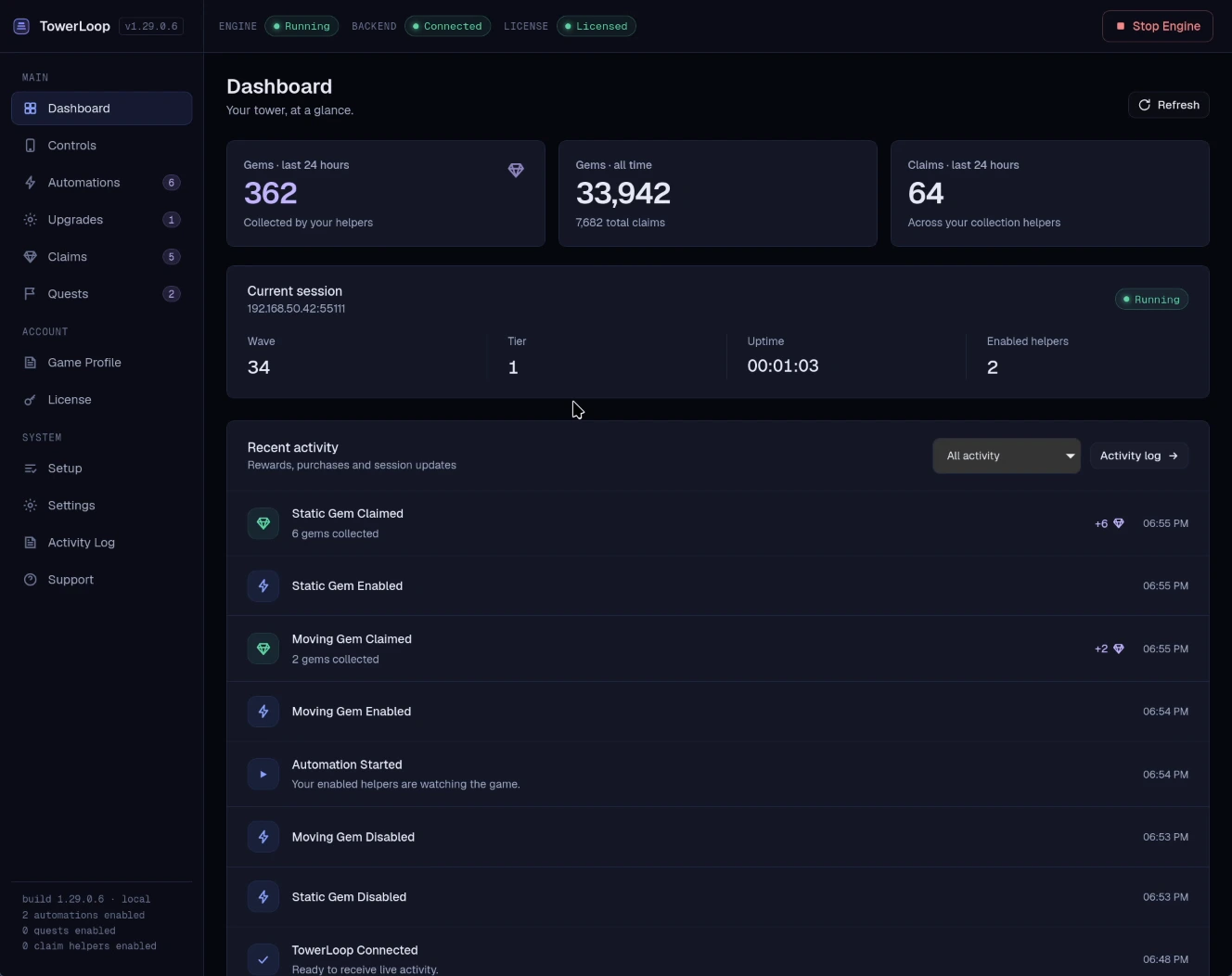
Every helper is included on both plans. Use it with your own game for a week and see how much tapping it saves you.
7-day free trial, then
Billed monthly. Flexible if you want to try a month first.
7-day free trial, then
Works out to about $4.08 a month. $23 less than 12 months of Monthly.
Digital software license/subscription for TowerLoop desktop software. Billing handled by Paddle. Your subscription provides access to TowerLoop desktop software, license validation, updates, and support for the selected billing period. You can cancel future renewals at any time. Access remains active until the end of the paid billing period unless otherwise stated in the Refund Policy.
Checkout and order processing are conducted by Paddle as Merchant of Record and authorized reseller. Subscriptions renew until canceled, and purchases are governed by the Terms of Use and Refund Policy.
Pick a plan, install the Windows app, and switch on your first helper. Most people are set up in a few minutes, and the first 7 days are free.